Oct 2025 - Dress Up Minigame
Dress Up minigame
Play Dress Up with your in-game character and match the look of your real life outfit in a new interactive minigame that also serves as a new item management system.
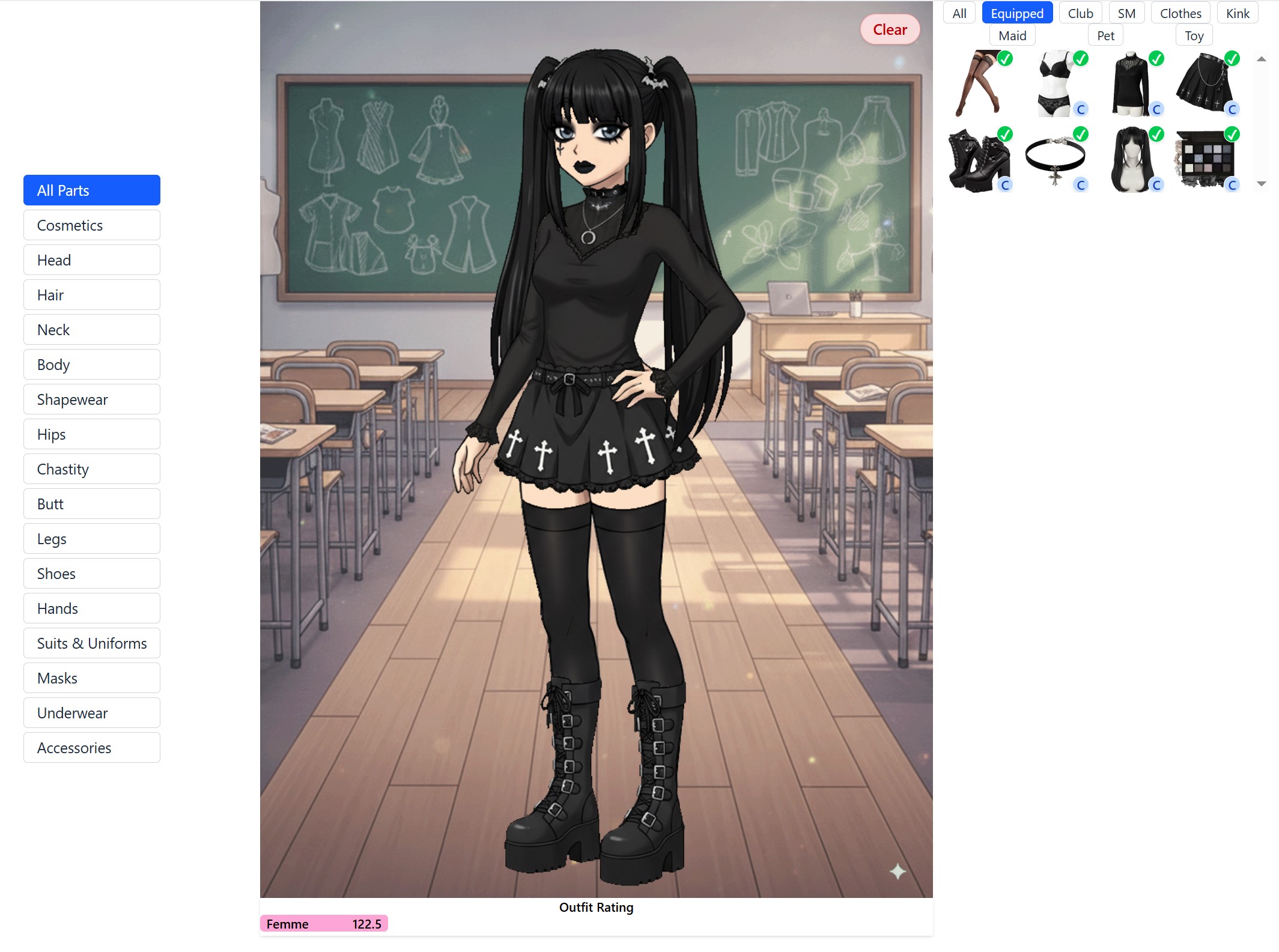
Accessing the Dress Up Minigame
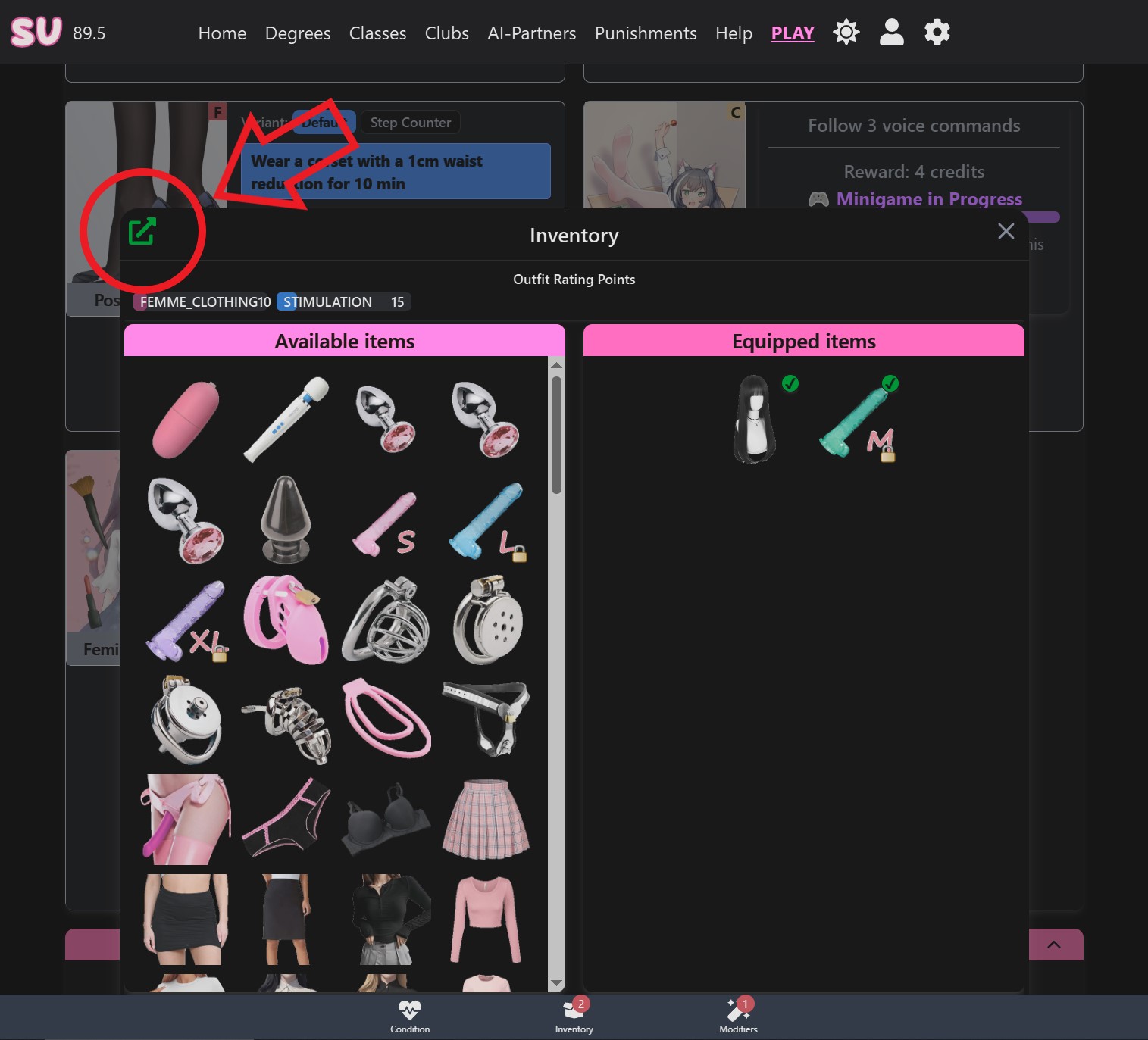
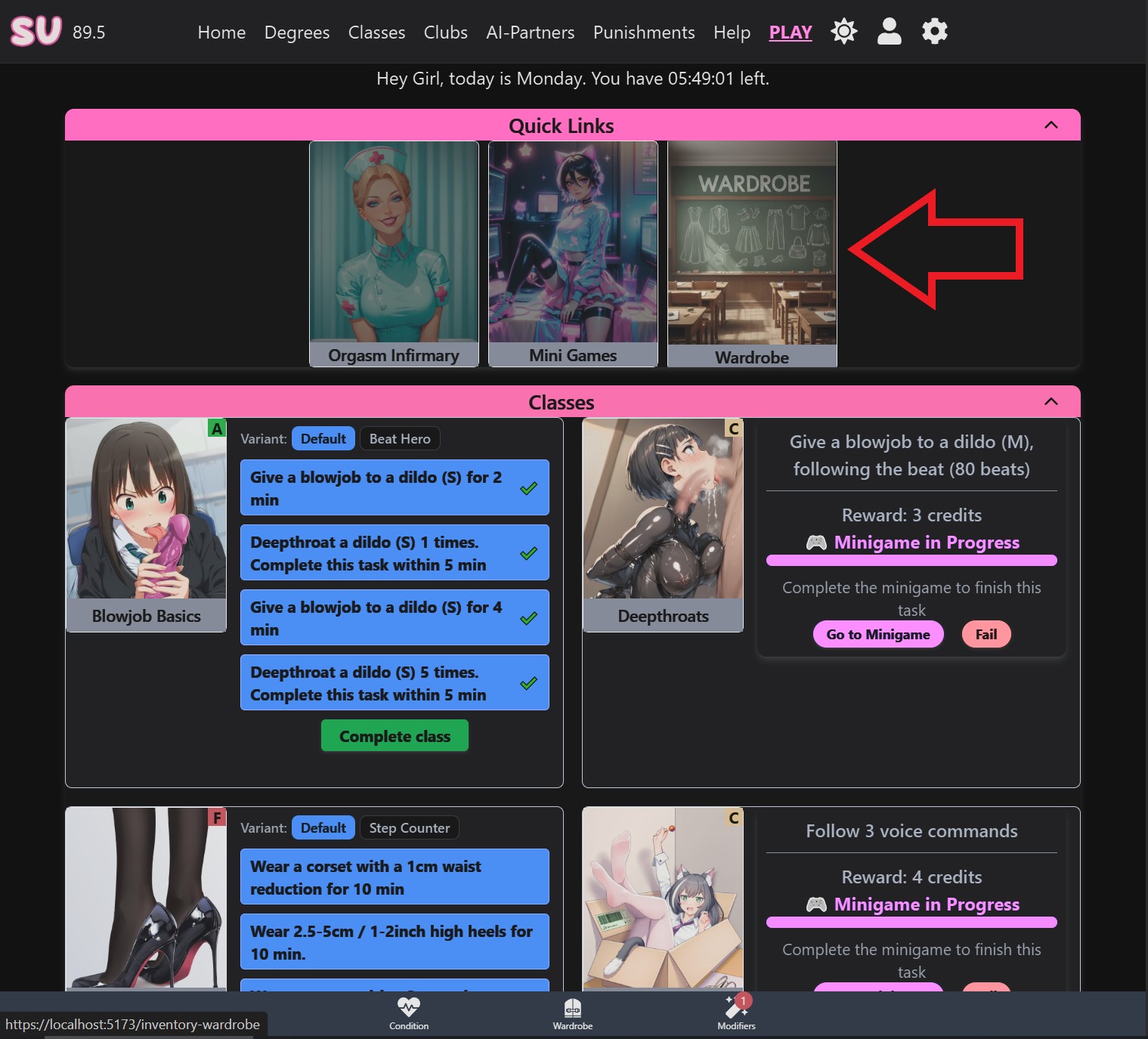
You can access the Dress Up minigame from multiple locations:
From the Inventory:
From Quick Links on the Play Page:
Always Use Wardrobe Toggle
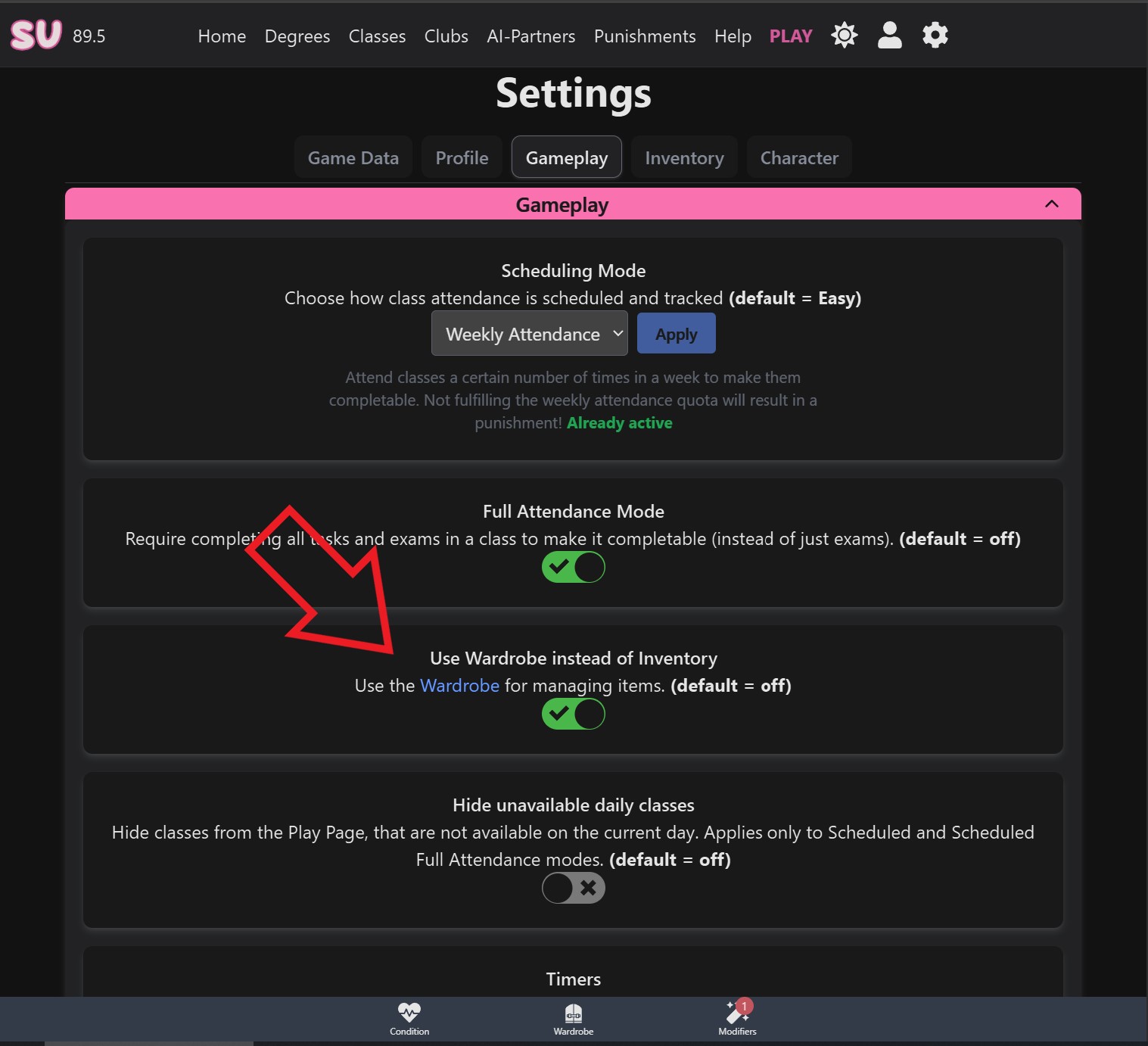
If you prefer to always use the Wardrobe instead of the quick inventory, there's a new toggle under Settings → Gameplay that replaces the bottom Inventory button with a Wardrobe button:
Default Outfit Configuration
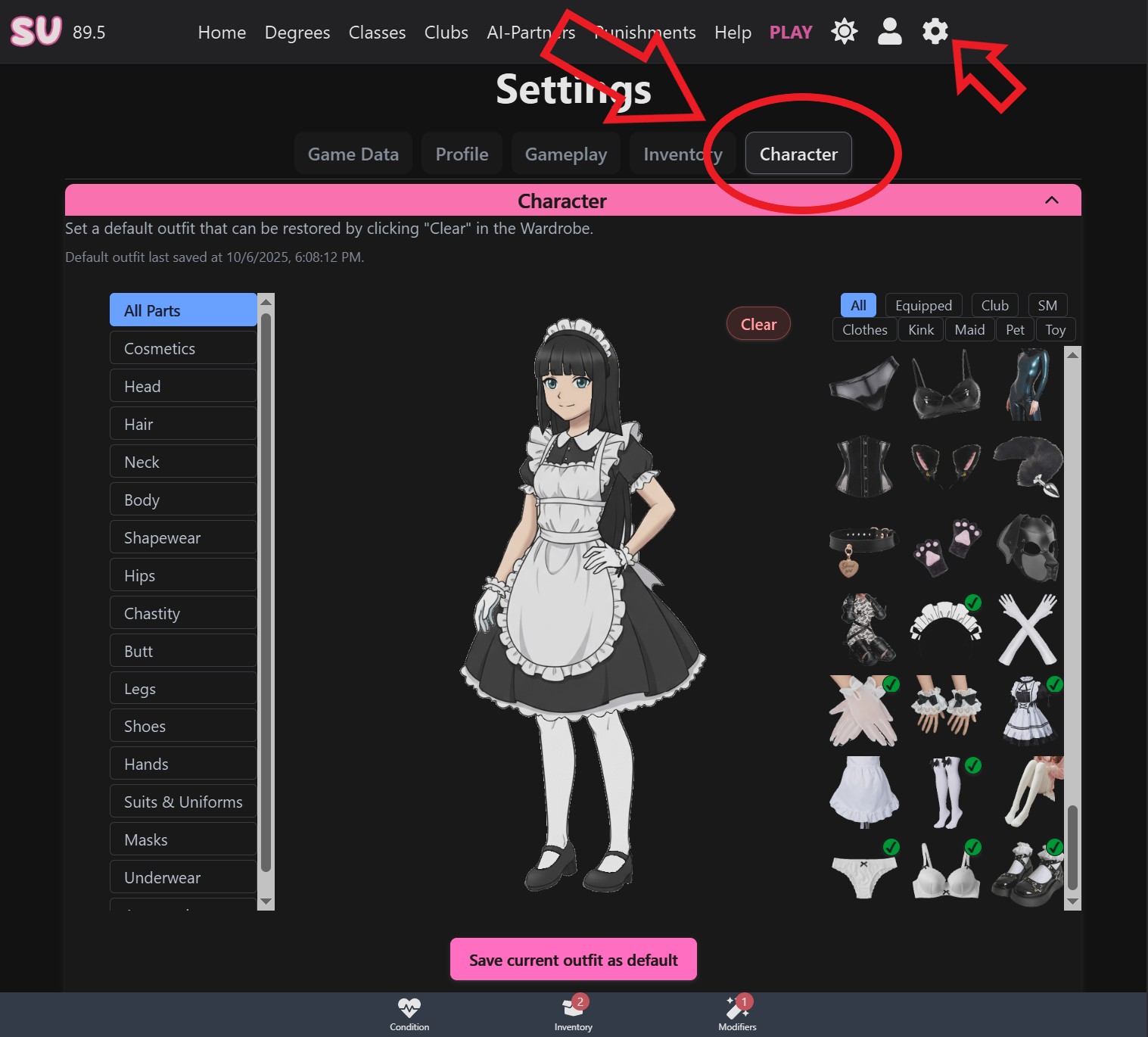
You can now set a default outfit for your character that gets applied every time you click "Clear" on your existing one. Configure this from Settings → Character:
NEW FEATURES
- New Character Dress Up minigame that also works as an item management system
- Added "default outfit" configuration menu. Go to Settings→Character to customize your default outfit which gets applied every time you click Clear on your current one
CONTENT CHANGES
- Added more clothing items and categories
- Added more Maid items
- Added more Goth Club items
- Added more Bimbo Club items
- Added more "Shapewear" items
- Added new Jewelry items
- Added new "Shave" items
- Removed Maid Club
- Removed Office Club
User Experience and Interface
- Reworked the Item Tooltip interface and behavior
- Items will now swap out previous item if they are for the same slot. Previously you would receive a warning message
- Club items no longer need to be equipped through clubs. Joining a club will unlock its items automatically
- Club items no longer need to be activated manually
- Bottom Inventory item lists are now independently scrollable
- Added new toggle in Settings that replaces the bottom Inventory button with a Wardrobe button
- Added button for the Wardrobe on the left side of the Inventory window